Thursday, September 9, 2010

Touchpoints (manual and automated) between sCRM and CRM

    Dear Readers,
    I'd be grateful for insights and comments on this topic.
    There seem to be two phases to harmonising sCRM and CRM domains.

    1. Don't integrate using software - use people initially.
    Use the CRM tools in the cloud (FB comments, Twitter, Get Satisfaction etc) where the customer/prospect is operating and backfill insights and information manually into your CRM system.

    This is low risk with no internal technology investment. The cost is mostly around people/staff. It's good education all round and a reminder that a companies systems are no longer the ones sitting on their premises.

    2. Automated integration of sCRM data/insights into the 'master' back end CRM and related systems.
    This of course is much more difficult. Some outlines of touchpoints and suggested automation are below :
    Identity : At it's most simplest you can integrate web2.0 Id's of customers into your back end CRM profile and perhaps use your Campaign Management in your CRM app to deliver/chat with the web2.0 channels. Automated campaign management tools spamming customers web2.0 spaces is clearly dangerous as the personal touch may be lost so simply using your CRM tool as a front end to web2.0 activity might retain the personal touch and allow your CSA's to remain in a single workspace.

    Profiling : A unified view of web2.0 profiles with internal CRM profiles. Very useful but prone to legal restrictions. Again the CRM system can pull in public preferences/likes/dislikes for customers and use them for customer support and behavioural targetting solutions.

    Analytics : merge analytics observations on your own web/IP properties with those in the cloud. This area is nascent at the present time but the integration between Salesforce and Radian6 certainly looks interesting in examining click throughs from the cloud.

    Metadata, Taxonomy and KMS: This is a tough nut to crack and the sharp end of the semantic web. Ideally the taxonomy that your customers develop online should inform your southbound knowledge management and product descriptions. Behavioural Targetting ,SEO/SEM and Customer Support will be more successful if you can develop a commonality between how you describe your domain vs how it's actually being talked about in the real world.

    Connect Listening with the Raising of Work/Suggestion Tickets distributed to the rest of the business : Use the listening platform data to directly feed into how you raise suggestions, complaints or issues into the business. This avoids some retype and paraphrasing but still requires staff to manage.

    Run Listening Platforms Across internal channels such as Wikis and Forums : this could be automated to filter hot topics and prioritise work and many forum providers are moving into the semantic space to enable just that.

    Involvement in Design : beyond providing a Wiki or a Facebook group and harvesting opinions on features via Listening Platforms how do we get customers deeply involved in the creation of the products and services we design?
    The big question...
    Is deep automated integration an expensiveand proprietary folly between sCRM and CRM at the present time?
    Do we end raising projects titled 'Integrate with the Internet'?

Monday, June 21, 2010

Another angle on Social Computing - the iPad

There was a distinct ethereal hum as I finally added an iPad to my iPhone, iPod, Powerbook, iMac and G5 kingdom.

I had to answer some questions for myself on something that felt 'game changing' - magic almost.

What is the magic in the hardware, form factor and software of the iPad?
  • Given it's size it travels from room to room with you. The only other computing device that really does that is a feature/modern phone. Laptops get parked which equals bad for a prospective command centre and true on body device.
  • The role of phones will change. The size of displays for pocket devices have limits (technical and social) that the iPad immediately begins to highlight. Phone's may be more of a cousin of your car key, wallet and GPS devices than the final form factor of the utopian 'life controller'. Phone holographic technology would of course help phones reassert themselves as a social device rather than a private device.
  • Works great as you walk and use the device using only 1 hand (unlike a laptop) for essential workflow tasks of the OS (cut copy-paste-search-open-close) , in fact most programs and tasks are possible given multi-touch to allow context. It also works really well with 2 hands allowing richer expression and depth of interaction.
  • No wires and it fits everywhere - that's a fail for most laptops which demand height as well as depth on a desk or surface. iPad display and control are merged into one flat surface.
  • The resolution is great - it looks like an interactive magazine.
  • It wins the war hands down as the master input device for contacts and calendar control. Phone calendar co-working was not convenient with phones or laptops. Laptops feel 'official' and had to be crowded round with a bent neck (or worse via ping pong mail). The iPadCalendar experience is one where you co-author it with your spouse or friend or colleague sitting next to one another...on the couch, standing in the kitchen, and so on. Passing the iPad back and forth so everyone can download their details makes for good 'ownership' of events and to-do's and will prompt healthier use. This form factor, so far, is the best capture tool and it's social - just like calendars and are meant to be.
  • The e-book, e-comic and e-magazine have arrived - they never had before. iPad allows you to zoom on article, photos, paintings or Maps. Hand it to a friend. Magazines can't compete...physical books also look like they will get in the neck strong if iBooks is anything to go by.
  • Contact data and references (URL's etc) really are ubiquitous and synchronised across all my equipment. Retyping was hurting the mass uptake of computing - we need to do away with it. A combination of mobileMe, wireless and apple core products (itunes, iphoto et al) ensures that data, preferences and references are available, accessible and synced no matter where you are. No mean feat.
  • Resolution of expression for multi-touch fingers. So much more satisfying for almost all application experiences from innocuous address book management and browsing to rich real-time control audio/visual applications.

The form factor of the iPad makes it a truly social device
The laptop and the mobile are personal computers - we don't share them physically with others much at all. They are social in that they can enable 'remotely social' experiences but it's a private affair.

This is where the iPad and form factors like it have a potential to shine ... families passing it round to arrange the trip to the lakes, band members trimming the email marketing list collectively, waiters allowing customers to select their choice and then taking the device to send wirelessly to the kitchen, putting in in grandma's lap to see slideshows.

but it's not all honey...
  • The weight - any more weight for the iPad would be a fail but it just gets away with it.
  • Heat - beware your iPad in strong sunlight...it heats up quickly and then forbids you to use it until it cools down.
  • Power and Charging - Non native chargers that work for iPhones don't fare well with the iPad.
  • Utilising other devices - I'm not a fan of the buy a wireless or a wireless with 3G simcard approach. It's a bad fit as iPad demographic probably already have mobile data contracts and don't want another. I'd have much rather payed an extra levy per month on my network provider bill (O2) to use my iPhone as a modem. The iPad is a natural main console for all your computing so it would have been nice to see utilisation of slave devices such as iPhone available out of the box - specifically from Apple rather than a 3rd party integrator.
  • Upfront user profiles. Given the inherently social capability of the device it is a miss to not have controls for multiple user profiles.

We live in interesting times alright.


Tuesday, June 8, 2010

iPhone 4 - Honey the Kids Shot Themselves and are in Hollywood


One of the exciting things about the iPhone 4.0 hardware/software announcement on Thursday was just how easy Apple have made it to write, collaborate, capture, edit and publish your movie, documentary or skit....in Hi-Defintion quality.

The sheer innocuousness and on-body nature of this device means that, more than ever before, using little technical shenanigans, people can make their own film OR broadcast and have it watchable in many formats. Did I mention it is possible in Hi-Definition?

  • No running for the 'proper camera'.
  • No transfer of audio/video between hardware devices.
  • No multiple logins and data structures between different service providers.

Of course using a combination of devices and software providers we could come close to functional replication of the iPhone4's top-to-bottom film making but the effort isn't for the faint hearted and could never have be described as effortless and intuitive.

What makes iPhone4 powerful is that one company is providing the answer from top to bottom and ultimately allowing the fun and creativity flow rather than tech detail or data-exports from service 1 to service 2.

It's very easy to

Capture and direct (video and audio)
- video cam style shooting
- camera front/back switch
- video call data
- video auto generation (incl still image sequence generation)
- inline options available live via context menu of recorder
- titling and metadata, no rekeying of metadata
- take aggregation and management

Edit
- in situ
- in dedicated local app
- remotely online (YouTube editing,
3rd party)
- rich audio control

Publish and Promote
- via telephony to one or many
- to webservice (Email, Blogger, Google, youTube.....any IP terminus)

If Apple were a movie company then it would be like one of those tightly controlled Hollywood studios from the 30's where they invested in stars and felt obliged to guide and mentor all for the greater good of the 'movie' and of course business. Apple have really invested in tightly bound hardware and software experiences being utterly intuitive and inspiring to work with.

Their software suite keeps looking more and more like a ballet
that continues to run and develop rather than a series of disparate concertos. The upgrade path to their Pro products (Final Cut Studio, Logic Studio) also allow the customer 'symbiosis' to continue for the longest time.

Apple are enabling a bunch of video makers that will go on to change moving pictures in the same way that the music industry was democratised by a Roland 606.

All that and without mentioning the iPad.

Off the Cuff IT Stuff


iPhone 4.0Video Format Specs.
Video formats supported: H.264 video up to 720p, 30 frames per second, Main Profile level 3.1 with AAC-LC audio up to 160Kbps, 48kHz, stereo audio in .m4v, .mp4 and .mov file formats; MPEG-4 video, up to 2.5Mbps, 640x480 pixels, 30 frames per second, Simple Profile with AAC-LC audio up to 160Kbps, 48kHz, stereo audio in .m4v, .mp4 and .mov file formats; Motion JPEG (M-JPEG) up to 35Mbps, 1280x720 pixels, 30 frames per second, audio in ulaw, PCM stereo audio in .avi file format

Tuesday, June 2, 2009

Joystiq live from Microsoft's E3 2009 keynote - full review

This reprise of the Microsoft keynote takes the lead on anything Apple will do this year...fair play Microsoft...


Human Body as interface for X-Box - full body motion and voice recognition

Great new human body interface illustration via Microsoft at their recent keynote....


Friday, December 12, 2008

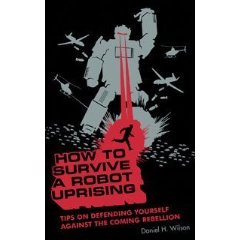
Hunting Robots and How to Survive a Robot Uprising


The Pentagon recently announced that they want suppliers to provide a "Multi-Robot Pursuit System" that will let packs of robots "search for and detect a non-cooperative human".


I recommend boning up on robot pursuit avoidance now. How to Survive a Robot Uprising is the book you need. You'll read it in an hour and it may save your life one day or at least give you suggestions on how to get your leg out of an annoyed hoover.


Thursday, November 6, 2008

Epitaphs have been written for the now defunkt Mars Phoenix Lander

Epitaphs have been written for the now defunkt Mars Phoenix Lander...they're great.


Popular Vote

Editorial College

1. Veni, vidi, fodi. (I came, I saw, I dug)
Graham Vosloo
1. I dug my own grave. And analyzed it.
Dorwinrin
2. So long and thanks for all the ice.
D. Adams
2. Error 404: Lander Not Found!*
Fred Rogers
3. It is enough for me. But for you, I plead: go farther, still.
Fernando Rojas
3. Water, water, everywhere, and not a drop that isn't already sublimating into the thin, frigid atmosphere.
Dylan Tweney


Find them below with a link to the best blogeulogy to Phoenix.